
Genetics Calculators and Tools
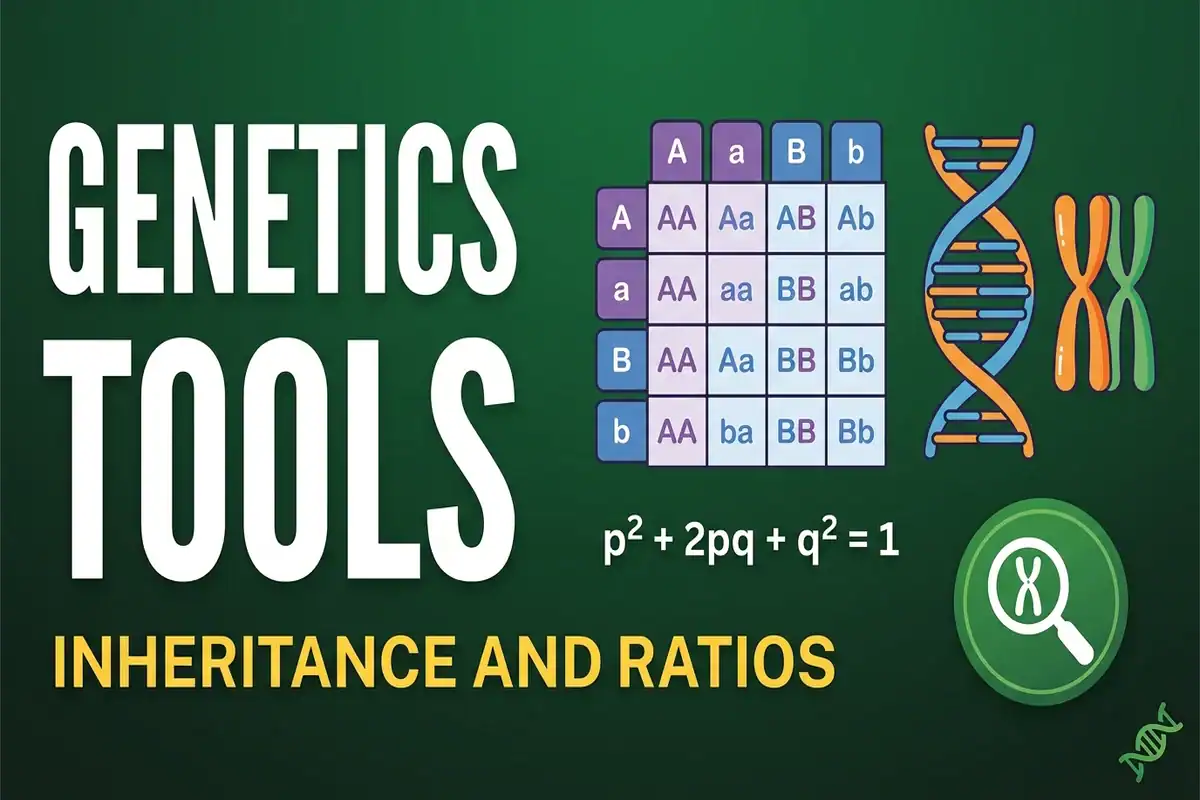
This sub-hub gathers the interactive genetics calculators and analyzers available on BioExplorer. Each tool pairs a browser-based calculator with a full explanation article that walks through worked examples from standard genetics textbooks. Every calculator runs in your browser with no installation or signup, and calculator inputs are not collected. The list grows as new tools ship.
Genetics Tools and Calculators Guide:
- All Genetics Tools
- Punnett Square Calculator
- Pedigree Analyzer
- X-Linked Punnett Square Calculator
- Y-Linked Inheritance Calculator
- Epistasis Calculator
- Chi-Square Test Calculator
- Hardy-Weinberg Calculator
- Mutation-Selection Balance Calculator
- Mitochondrial Inheritance Calculator
- Which Tool Should You Use?
- How Inheritance Patterns Work
- Worked Example Combinations
- Related Resources
- Frequently Asked Questions
All Genetics Tools
BioExplorer currently ships genetics and inheritance tools that cover the main problem types students encounter. Each tool targets a specific use case. Brief descriptions are provided below, and each tool page includes the full article and calculator.
Punnett Square Calculator
The Punnett Square Calculator is the classic monohybrid and dihybrid cross generator. Users can pick two parental genotypes (AA, Aa, or aa for monohybrid crosses; AABB through aabb for dihybrid crosses), and the tool returns the offspring ratio plus a full probability table. It is the original BioExplorer genetics tool and is used by thousands of students each year for genetics homework help. It also supports custom trait labels for clearer phenotype output.
Pedigree Analyzer
The Pedigree Analyzer takes a family history, including who is affected, who is unaffected, and how family members are related, then identifies which inheritance pattern fits: autosomal dominant, autosomal recessive, or X-linked recessive. It returns probability tables for each offspring genotype given the family tree. This tool is useful for genetics homework problems about Mendelian inheritance in real families.
X-Linked Punnett Square Calculator
The X-Linked Punnett Square Calculator handles sex-linked inheritance. Includes presets for hemophilia A, hemophilia B, color blindness, and Duchenne muscular dystrophy. Handles X-linked dominant and X-linked recessive crosses with full sex chromosome tracking (X^A X^a, X^A Y, X^a Y). The basic Punnett calculator runs autosomal crosses only, so the X-linked version exists for this specific use case.
Y-Linked Inheritance Calculator
The Y-Linked Inheritance Calculator models Y-linked (holandric) inheritance for variants outside the pseudoautosomal regions. Set the genetic father's variant status to calculate inheritance probabilities by offspring sex and family size. Includes random-sex and specified-sex modes, six worked examples, AZF microdeletion notes, and a paternal-lineage helper. The basic Punnett calculator handles autosomal crosses, while the X-linked calculator handles X-chromosome inheritance. This calculator provides the corresponding model for Y-chromosome transmission.
Epistasis Calculator
The Epistasis Calculator handles dihybrid crosses where one gene masks or modifies another. It returns the 4 by 4 Punnett square plus the modified Mendelian ratio: 9 to 3 to 4 (recessive epistasis), 12 to 3 to 1 (dominant epistasis), 9 to 7 (duplicate recessive epistasis), or 15 to 1 (duplicate dominant epistasis). Real trait examples include Labrador coat color, summer squash fruit color, sweet pea flower color, and wheat seed color.
Chi-Square Test Calculator
The Chi-Square Test Calculator is the standard statistics tool for genetics, testing whether observed offspring counts deviate significantly from a predicted Mendelian ratio and returning the chi-square value, degrees of freedom, p-value range, critical values at the 0.05 and 0.01 significance levels, and a plain-language interpretation. Use it to verify whether your data fits a Punnett square prediction.
Hardy-Weinberg Calculator
The Hardy-Weinberg Calculator applies the population genetics equilibrium equation (p² + 2pq + q² = 1) in both directions. In the forward direction, users enter an allele frequency, and the tool returns the genotype distribution and expected counts for the selected sample size. In the reverse direction, users enter observed AA, Aa, and aa counts, and the tool derives p and q. It includes presets for PKU, cystic fibrosis, and sickle cell trait.
Mutation-Selection Balance Calculator
The Mutation-Selection Balance Calculator extends population genetics beyond Hardy-Weinberg equilibrium by modeling cases where mutation and selection both act on the same allele. Users enter a mutation rate (mu), a selection coefficient (s), and a dominance coefficient (h), and the tool returns the equilibrium allele frequency, affected population fraction, carrier frequency, and mutational load. It uses the Haldane approximation q-hat = mu / (h × s) when dominance is nonzero and the square-root approximation q-hat = √(mu / s) for completely recessive deleterious alleles. It includes presets for cystic fibrosis and achondroplasia.
Mitochondrial Inheritance Calculator
The Mitochondrial Inheritance Calculator explores maternal mitochondrial DNA (mtDNA) inheritance using a simplified, single-step sampling model. Enter maternal heteroplasmy, choose a comparison value, and adjust the model bottleneck size to calculate the probability that modeled offspring heteroplasmy exceeds that value. Unlike autosomal or sex-linked Punnett squares, this tool models variation in mtDNA proportions rather than nuclear genotype combinations. It is an educational tool, not a clinical disease-risk predictor.
Which Tool Should You Use?
Different genetics problems call for different tools. Choose the calculator that matches the inheritance pattern and the question you want to answer. The standard Punnett Square Calculator is a starting point for simple autosomal crosses; X-linked, Y-linked, and mitochondrial inheritance require different models.
- If your problem involves one or two autosomal traits and offspring ratios, start with the Punnett Square Calculator. Select monohybrid mode for one trait or dihybrid mode for two independently assorting traits to explore the predicted genotype and phenotype proportions.
- If your problem involves X-linked inheritance, use the X-Linked Punnett Square Calculator. It handles X-linked dominant and recessive crosses and separates outcomes for sons and daughters. Hemophilia A and B, red-green color blindness, and Duchenne muscular dystrophy are familiar X-linked recessive examples.
- If your problem involves Y-linked inheritance and father-to-son transmission, use the Y-Linked Inheritance Calculator. Set the genetic father's variant status and compare inheritance outcomes for sons, daughters, and families with up to 20 children. This tool covers variants outside the Y chromosome's pseudoautosomal regions and includes random-sex and specified-sex modes.
- If your problem involves maternal mitochondrial DNA inheritance and heteroplasmy, use the Mitochondrial Inheritance Calculator. Enter maternal heteroplasmy—the proportion of mtDNA carrying a particular variant—along with a comparison value and a model bottleneck size. The calculator estimates the probability that modeled offspring heteroplasmy exceeds your chosen value. It uses a simplified educational sampling model, not clinical disease-risk prediction.
- If your problem involves two genes where one masks or modifies the effect of the other, use the Epistasis Calculator. Choose the interaction model that matches the stated biology, such as recessive, dominant, duplicate recessive, or duplicate dominant epistasis, then enter the parental genotypes to explore the resulting phenotype ratios.
- If your problem includes observed offspring counts and a predicted inheritance ratio, use the Chi-Square Test Calculator. Enter the observed counts and the expected ratio to assess whether the differences are consistent with sampling variation. Check the expected-count requirements; a nonsignificant result does not prove that the proposed inheritance model is correct.
- If your problem involves population-level allele and genotype frequencies rather than a single cross, use the Hardy-Weinberg Calculator. Explore expected genotype proportions under Hardy-Weinberg assumptions or estimate carrier frequencies for autosomal recessive conditions such as PKU and cystic fibrosis when those assumptions are appropriate.
- If your problem involves a family history of affected and unaffected individuals, use the Pedigree Analyzer. It compares the family pattern with autosomal dominant, autosomal recessive, X-linked dominant, and X-linked recessive models. It helps identify compatible patterns rather than establishing a diagnosis, and it does not analyze mitochondrial or Y-linked inheritance.
- If your problem asks how mutation and selection can maintain a deleterious allele in a population, use the Mutation-Selection Balance Calculator. Enter the mutation rate and selection parameters to explore the predicted equilibrium allele frequency and, where applicable, affected and carrier frequencies. It complements Hardy-Weinberg calculations by examining a model in which mutation introduces an allele while selection removes it.
How Inheritance Patterns Work
Classical Mendelian inheritance follows predictable ratios when the usual assumptions are met. A monohybrid cross between two heterozygotes gives a 3 to 1 ratio of dominant to recessive phenotypes. A dihybrid cross between two double heterozygotes gives a 9 to 3 to 3 to 1 ratio when the genes assort independently, as unlinked genes generally do. These ratios come from the fact that each parent passes one allele per gene at random.
Real inheritance is messier than textbook ratios. Some traits involve codominance, where heterozygotes show both phenotypes. Some involve X-linked genes, where inheritance patterns differ between males and females. Some involve epistasis, where one gene modifies the expression of another. Some involve multiple alleles at a single locus, such as ABO blood type. Many population-level questions also use Hardy-Weinberg equilibrium, which describes genotype frequencies under specific assumptions such as random mating, no selection, no mutation, no migration, and a very large population.
BioExplorer ships tools for each of these cases. The genetics resources on this site include worked examples for every calculator, drawn from standard genetics textbooks (Pierce, Griffiths, Klug). For our recommended reading list, see the best genetics textbooks page.
Worked Example Combinations
Many genetics problems benefit from two or more tools. Some combinations form a calculation workflow; others help compare different inheritance models.
- Punnett + Chi-Square: Predict an offspring ratio with the Punnett Square Calculator, then compare observed offspring counts with that prediction using the Chi-Square Test Calculator. This tests whether the observations are consistent with the proposed ratio; it does not prove the inheritance model is correct.
- Punnett + Epistasis: Use the Punnett Square Calculator to establish the genotype combinations, then use the Epistasis Calculator to explore how a specified interaction between genes changes the phenotype ratio. A departure from 9:3:3:1 alone does not establish epistasis.
- Epistasis + Chi-Square: Generate a predicted phenotype ratio for a proposed gene-interaction model with the Epistasis Calculator, then compare that ratio with observed counts using the Chi-Square Test Calculator. This helps assess whether the data are consistent with that particular model.
- Pedigree + Punnett: Use the Pedigree Analyzer to explore candidate autosomal inheritance patterns, then enter known or explicitly assumed parental genotypes into the Punnett Square Calculator. The resulting offspring probabilities depend on those genotype assumptions.
- Pedigree + X-Linked Punnett: When a family pattern suggests X-linked inheritance, use the Pedigree Analyzer to explore that possibility, then use the X-Linked Punnett Square Calculator to model a particular parental cross and compare the predicted outcomes for sons and daughters.
- Hardy-Weinberg + Chi-Square: Use the Hardy-Weinberg Calculator to generate expected genotype counts from a fixed allele frequency supplied by the problem, then compare observed counts with those expectations using the Chi-Square Test Calculator. If the allele frequency is instead estimated from the same sample, use an HWE-specific test that accounts for the estimated parameter.
- Hardy-Weinberg + Mutation-Selection Balance: Explore allele and genotype frequencies under Hardy-Weinberg assumptions with the Hardy-Weinberg Calculator, then use the Mutation-Selection Balance Calculator to investigate how mutation and selection can maintain a deleterious allele. Treat these as complementary models with different assumptions, not interchangeable estimates.
- X-Linked + Y-Linked + Mitochondrial: Compare three inheritance mechanisms using the X-Linked Punnett Square Calculator, Y-Linked Inheritance Calculator, and Mitochondrial Inheritance Calculator. Contrast X-linked genotype combinations, father-to-son transmission of a non-PAR Y variant, and maternal mtDNA sampling. This is a comparison exercise, not a pipeline for transferring probabilities between calculators.
Related Resources
- Biology Tools Hub: Main directory of all BioExplorer interactive tools, organized by branch of biology.
- Genetics Glossary: Definitions for over a hundreds of genetics terms, from allele to zygote.
- Branches of Genetics: Background on classical, molecular, population, and medical genetics, plus major thinkers and experiments in each.
- What is a Homologous Chromosome? Background on chromosome structure and behavior during meiosis.
Frequently Asked Questions
Start with the Punnett Square Calculator. It covers the most common genetics problem type: predicting offspring ratios from a single mating pair with autosomal inheritance. Once you are comfortable with that, the other tools fit the cases the Punnett calculator does not cover, including sex linkage, modified ratios, statistical testing, and population frequencies.
The genetics tools cover the foundational problems students encounter in a standard genetics course. Multi-gene linkage, three-gene epistasis, polygenic inheritance, and quantitative trait loci often require more advanced methods and specialized software. BioExplorer may add tools in those areas as demand grows, but for now those problems are best solved by hand or with R or Python packages.
The math in each tool is standard textbook math and is double-checked against worked examples from Pierce, Griffiths, and Klug. The tools are designed for educational use, not for clinical decisions or research publication. For research, use specialized genetics software, such as R genetics packages, PLINK, or BCFtools, because those tools handle additional real-world complications such as missing data, pedigree errors, and population structure.
No. Calculator inputs are processed in your browser and are not saved by the calculator. Closing the page or refreshing it clears your input. This is intentional for privacy and simplicity. If you need to save a result, take a screenshot or copy the answer manually.
Cite this page
BioExplorer. (2026, September 24). Genetics Calculators and Tools. https://www.bioexplorer.net/biology-tools/genetics/